MAG X870E TOMAHAWK MAX WIFI PZ được thiết kế dành riêng cho game thủ với nền tảng ổn định, bền bỉ và dễ dàng tự lắp ráp cho dàn PC của họ. Với giải pháp Wi-Fi 7 đích thực, LAN 5G, USB 40Gbps, giải pháp PCIe 5.0, Nguồn PCIe Bổ sung và các tính năng EZ DIY độc quyền, sản phẩm sẵn sàng chiến đấu với bộ vi xử lý AMD Ryzen™ dòng 9000.




Lắp ráp dễ dàng, ít thao tác hơn

Hệ thống cấp nguồn 14+2+1 Duet Rail 80A SPS

Thiết kế tản nhiệt mở rộng
EZ M.2 Shield Frozr II

Wi-Fi 7 & LAN 5G mạnh mẽ
Kết nối USB4 siêu nhanh

Ép xung dễ dàng chỉ với một cú nhấp

Giao diện BIOS X hoàn toàn mới tối ưu UI/UX
Dòng sản phẩm MAG phổ thông của MSI là hiện thân của sự ổn định và độ bền, được chế tạo để chịu được những phiên chơi game căng thẳng nhất. Toàn bộ dòng sản phẩm đều có cấu trúc chắc chắn với độ cứng như kim loại và khả năng tản nhiệt tuyệt vời, đảm bảo sự ổn định cho tất cả các thành phần quan trọng của trò chơi.

HIỆU SUÂT TỐI ƯU


Hỗ trợ quạt Pump

Tản Nhiệt Mở Rộng


Cấu trúc 8 lớp cấp máy chủ
với PCB đồng 2oz

Tản nhiệt với
Miếng đệm nhiệt 7W/mK

Hệ thống điện đường ray đôi 14+2+1

EZ M.2 Shield Frozr II

M.2 Shield Frozr
KẾT NỐI SIÊU TỐC


5G LAN

Full-Speed Wi-Fi 7

Lightning PCIe Gen 5

Bộ nhớ DDR5 mới nhất

Bốn khe cắm M.2
(Thế hệ 5 & Thế hệ 4)
LẮP RÁP DỄ DÀNG


Xóa CMOS & Nút Flash BIOS

Tấm chắn I/O được lắp đặt sẵn

Steel Armor II

EZ Debug LED

EZ PCIe Release

Sẵn sàng cho AI PC
Bo mạch chủ MSI được thiết kế với phần cứng và công nghệ tiên tiến, hỗ trợ tốt cho các tác vụ tính toán khắt khe như chơi game và trí tuệ nhân tạo. Hơn nữa, chúng tôi cũng tích hợp trí tuệ nhân tạo vào MSI Center và BIOS, giúp mọi thao tác trở nên dễ dàng hơn bao giờ hết.
AI Engine
Cung cấp nhiều danh mục để bạn đồng bộ hóa các ứng dụng bạn muốn sử dụng và tự động tối ưu hóa chúng để tạo ra một môi trường thoải mái.
AI LAN MANAGER
Tối ưu hóa hiệu suất mạng và giảm thiểu độ trễ, mang lại trải nghiệm trực tuyến liền mạch.
Frozr AI Cooling
Tự động điều chỉnh chu kỳ hoạt động của quạt để đảm bảo hệ thống luôn mát, ổn định và đạt hiệu suất cao.
AI Boost
Đây là tính năng độc quyền của MSI. Nó ép xung NPU để cải thiện hiệu năng AI cao hơn.
EZ DIY
- MỘT NGÓN TAY
- MỘT TAY
- MỘT BƯỚC
- MỘT CÁI NHÌN
- CHỈ MỘT CÚ CLICK
- EZ M.2 INSTALLATION
- EZ GPU INSTALLATION
- EZ BUTTON
Được MSI phát triển tỉ mỉ, sản phẩm này cho phép lắp đặt và tháo gỡ SSD mà không cần ốc vít, giúp tăng đáng kể sự tiện lợi.
Bộ phận bảo vệ EZ M.2 Shield Frozr II và kẹp EZ M.2 CLIP II độc quyền của MSI giúp việc lắp đặt M.2 trở nên dễ dàng. Chỉ cần cắm thẻ SSD vào khe cắm và ấn xuống để khóa chặt bằng kẹp. Sau khi cố định SSD, hãy gạt kẹp ra ngoài và SSD sẽ được tháo ra. Quá trình này diễn ra mượt mà, bạn không cần dùng đến dụng cụ như trước nữa. Chỉ cần một ngón tay là bạn có thể thực hiện thao tác tự lắp đặt một cách hoàn hảo.
Giới thiệu dụng cụ tháo EZ M.2 CLIP II của MSI, một công cụ tiện dụng được thiết kế để dễ dàng tháo lắp hoặc định vị lại EZ M.2 CLIP II trên bo mạch chủ của bạn. Công cụ này cho phép người dùng dễ dàng tháo EZ M.2 CLIP II khỏi bo mạch chủ và gắn lại vào bất kỳ khe cắm M.2 nào mong muốn. Nó được bao gồm trong bộ phụ kiện đi kèm với các bo mạch chủ MSI.

Cơ chế nút vật lý dễ tiếp cận giúp tháo bất kỳ card PCIe nào chỉ bằng một lần nhấn, giúp việc nâng cấp lên GPU mới hoặc thiết bị tương thích khác trở nên dễ dàng hơn nhiều, đơn giản hóa toàn bộ quy trình và nâng cao trải nghiệm người dùng.
Thân thiện hơn với người dùng tự lắp

Không yêu cầu CPU và bộ nhớ. Tìm hiểu thêm

- TẤM CHẮN I/O ĐƯỢC LẮP SẴN
- EZ Mounting
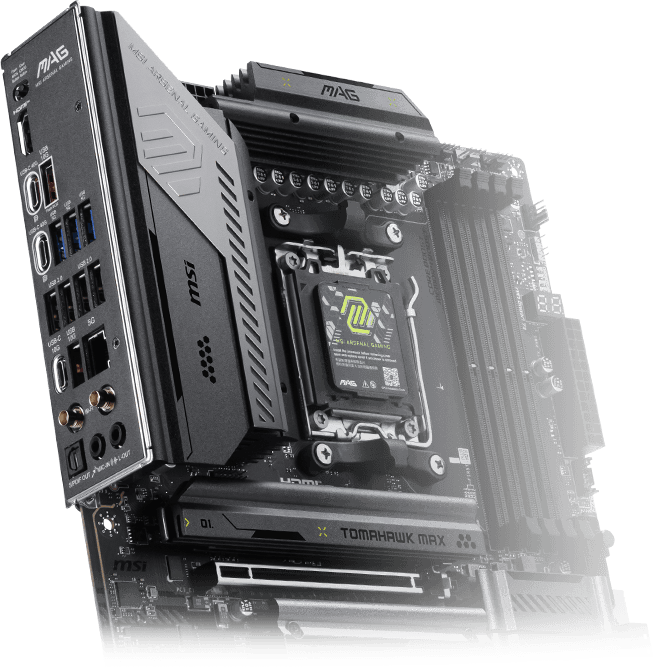
Tấm chắn I/O được lắp đặt sẵn mang đến trải nghiệm cài đặt đơn giản và dễ dàng bằng cách loại bỏ nhu cầu phải tự tay lắp đặt tấm chắn I/O trong quá trình thiết lập bo mạch chủ. Với thiết kế tích hợp, nó đảm bảo sự căn chỉnh chính xác và độ khít chắc chắn, cung cấp cả sự bảo vệ và tiện lợi đồng thời tăng cường độ bền tổng thể cho hệ thống của bạn.

EZ MOUNTING
Mạch điện của bo mạch chủ MSI đảm bảo các khu vực tiếp xúc với vỏ máy luôn sạch sẽ và an toàn. Hơn nữa, lớp sơn bảo vệ được in xung quanh mỗi lỗ vít để ngăn ngừa các bộ phận bị trầy xước hoặc hư hỏng trên bo mạch chủ.

Thông báo tránh va chạm

Khu vực cấm

Bảo vệ chống tĩnh điện kép
- EZ Antenna
- Direct OC Jumper
- Thiết kế EZ Conn
- EZ Front Panel Cable
- DRIVER UTILITY INSTALLER
MSI EZ Antenna giúp quá trình lắp đặt trở nên dễ dàng hơn bằng cách chỉ cần gắn các ốc vít vào bo mạch chủ mà không cần xoay.


Cổng Jumper 2 chân kép tích hợp trên bo mạch chủ giúp đơn giản hóa việc ép xung, cho phép điều chỉnh BCLK chính xác và liền mạch trực tiếp từ hệ điều hành. Nó thậm chí còn hỗ trợ tùy chỉnh cao hơn trong cài đặt BIOS, cho phép thay đổi mức tăng xung nhịp chỉ với một cú nhấp chuột.
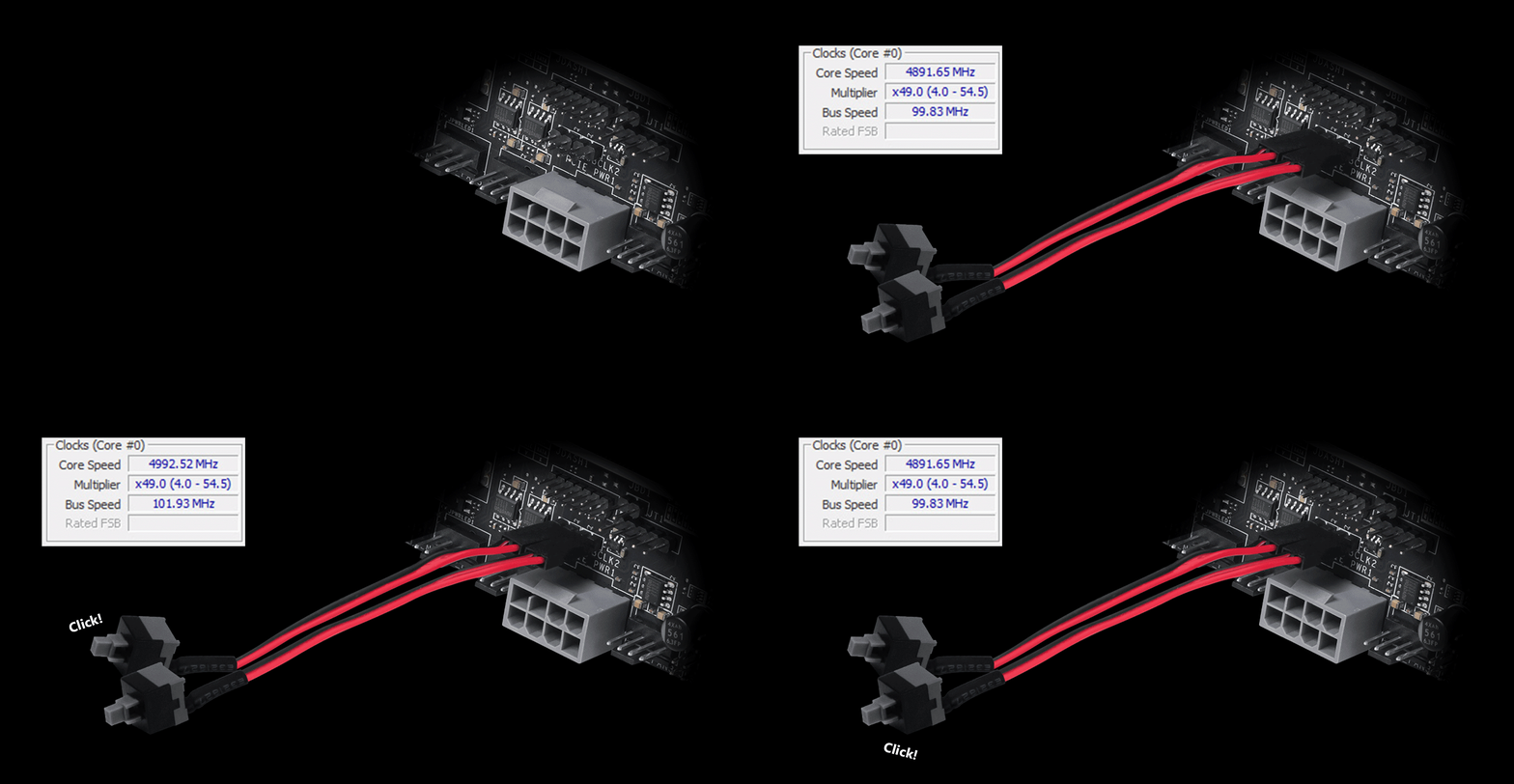
*Phụ kiện chân cắm (Pin-Header) không được bao gồm trong bộ sản phẩm bo mạch chủ.
Thiết kế đầu cắm EZ Conn (JAF_2)
Đầu cắm EZ Conn của MSI (JAF_2) cho phép người dùng dễ dàng kết nối quạt MSI EZ series (7 chân) hoặc tản nhiệt nước MSI (11 chân). Nếu bạn không có các sản phẩm trên, chúng tôi cũng cung cấp Cáp EZ Conn 1 to 3, cho phép bạn kết nối đèn ARGB, quạt hệ thống và thiết bị USB.


ARGB + QUẠT HỆ THỐNG + USB

TẢN NHIỆT NƯỚC MSI

QUẠT MSI EZ SERIES
Cáp này giúp giải quyết phần công việc tốn thời gian trong quá trình lắp ráp, giúp kết nối bảng điều khiển phía trước của bo mạch chủ một cách nhanh chóng và chính xác.

TIỆN ÍCH CÀI ĐẶT TRÌNH ĐIỀU KHIỂN MSI
Sau khi kết nối với internet, MSI Driver Utility Installer sẽ tự động phát hiện và hiển thị các trình điều khiển và tiện ích phù hợp, bạn có thể tải xuống và cài đặt chỉ với vài cú nhấp chuột. Tìm hiểu thêm
*Vui lòng đảm bảo kết nối internet, nếu không MSI Driver Utility Installer sẽ không tự động khởi chạy.
*MSI Driver Utility Installer được hỗ trợ từ phiên bản Windows 11 22H2.

- EZ DEBUG
- EZ Identify
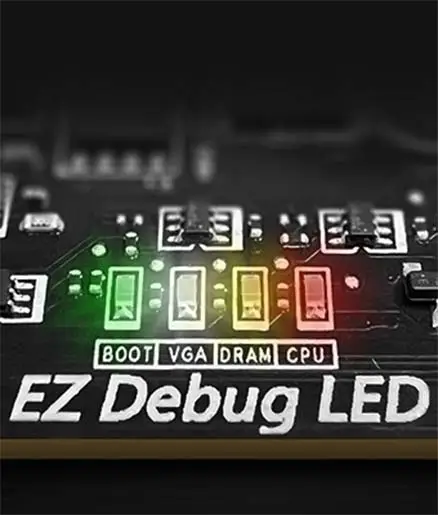
ĐÈN LED EZ DEBUG
Đèn LED tích hợp sẽ chỉ ra nguồn gốc của lỗi để bạn biết chính xác nơi cần kiểm tra và tiếp tục hoạt động.

ĐÈN SỐ EZ DIGI-DEBUG LED
Hiển thị mã lỗi để khắc phục sự cố. Cũng có chức năng như màn hình theo dõi nhiệt độ!

ĐÈN XÁC NHẬN BỘ NHỚ EZ MEMORY DETECTION
Đèn LED này sẽ sáng lên khi phát hiện bộ nhớ bị lỗi trong các khe cắm, giúp xác định nhanh vấn đề khi khắc phục sự cố.

- EZ OVERCLOCKING
- EZ Optimization
EZ Ooverclocking
Mặc dù ép xung có thể quá phức tạp đối với một số người, MSI Click BIOS X đã đơn giản hóa quá trình này với nhiều tính năng ép xung chỉ bằng một cú nhấp chuột cho cả bộ xử lý và bộ nhớ, cho phép người dùng dễ dàng nâng cao hiệu năng hệ thống mà không cần phải tìm hiểu sâu vào các thiết lập phức tạp.
-

GAME BOOST
Ép xung CPU chỉ với một cú nhấp chuột sẽ tự động tối ưu hóa hiệu năng CPU của bạn, ngay lập tức điều chỉnh nó lên mức tốt nhất có thể.
-

AI BOOST
Một thuật toán thông minh giúp tăng hiệu năng NPU để đạt được hiệu năng AI tốt nhất có thể khi bạn cần thêm sức mạnh xử lý.
*Được kích hoạt với các bộ xử lý tương thích. -

EXPO / A-XMP
Chọn từ các cấu hình EXPO và A-XMP được thiết lập sẵn để tự động ép xung bộ nhớ DDR tương thích nhằm đạt hiệu suất tối ưu.

Hàng loạt tính năng tích hợp trí tuệ nhân tạo vào các khía cạnh quan trọng của trải nghiệm điện toán để tối ưu hóa thông minh theo thời gian thực. MSI Center sở hữu giao diện gọn gàng, tối giản giúp bạn dễ dàng tùy chỉnh và quản lý cài đặt PC. Chẳng hạn, AI Engine sẽ tự động điều chỉnh hệ thống dựa trên ứng dụng bạn đang sử dụng, đảm bảo hiệu năng luôn vận hành mượt mà.

HIỆU SUẤT CỰC CAO
- Giải pháp năng lượng
- Bộ nhớ
- BẢO VỆ
- POWER DESIGN
- OC Engine
- PCB DESIGN
- TINH CHỈNH ÉP XUNG DỄ DÀNG EZ OC TUNING
- HIỆU SUẤT CAO HƠN
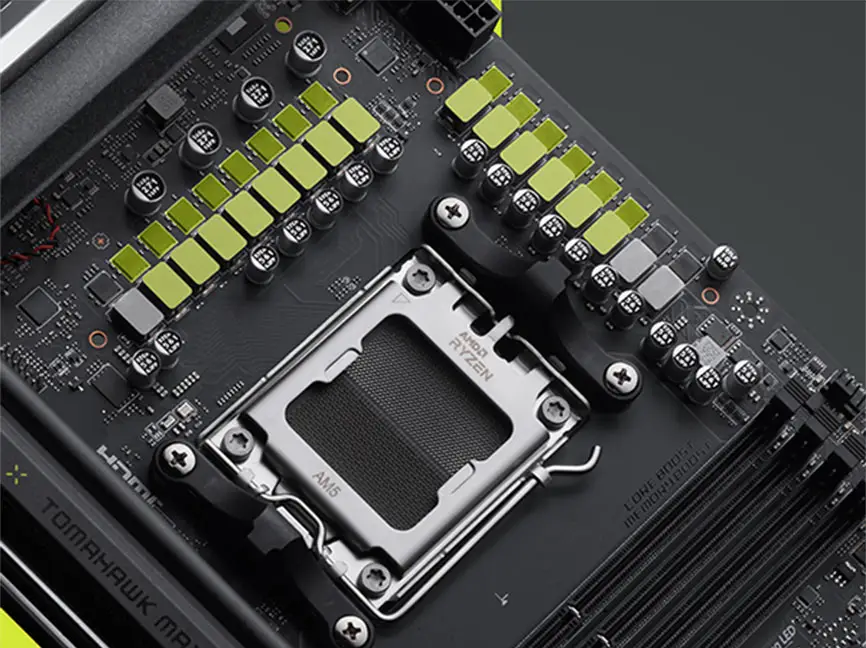
Giải phóng và duy trì hiệu năng tối đa với thiết kế VRM hàng đầu được xây dựng với tổng cộng 14+2+1 pha nguồn kỹ thuật số. Kết hợp giữa hai đầu nối nguồn và Smart Power Stage 80A, MAG X870E TOMAHAWK MAX WIFI sẵn sàng đáp ứng thách thức của các bộ vi xử lý cao cấp.
14
PHASE
2
PHASE
1
PHASE

CPU Power

Core Boost

Digital Power
OC Engine là một chip chuyên dụng cho phép điều khiển xung nhịp cơ bản (BCLK) độc lập để tinh chỉnh chính xác thông qua chế độ không đồng bộ trong BIOS của MSI. Nó giúp tăng hiệu năng lên đến 15% trong khi vẫn giữ ổn định cho iGPU, bộ nhớ, PCIe và NVMe, mang lại cho người dùng đam mê công nghệ nhiều không gian hơn để ép xung đạt kỷ lục.
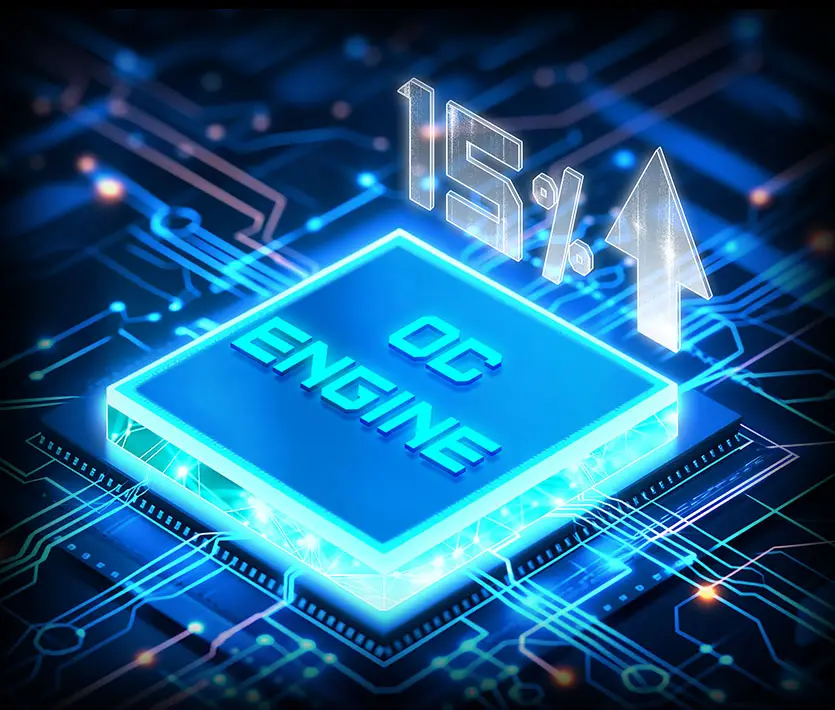
*Hiệu năng chơi game của Ryzen 7 9800X3D. Hiệu năng thực tế có thể khác nhau tùy thuộc vào nền tảng.

Chip ép xung chuyên dụng
Một con chip được thiết kế hoàn toàn để tối ưu hiệu năng.

Điều khiển BCLK độc lập
Điều chỉnh đồng hồ mà không ảnh hưởng đến các bộ phận khác.

Khả năng ép xung tốt hơn
Khoảng không gian rộng hơn cho việc tinh chỉnh cực độ.

Tính ổn định hệ thống vững chắc như đá
Hiệu năng ổn định ngay cả khi chịu áp lực.
- 8 PCB Layers
- PCB Fabric Peak

Công nghệ độc quyền Performance Preset (Mức hiệu suất thiết lập sẵn) là cách trực quan hơn để tăng hiệu suất bằng cách thiết lập giới hạn công suất theo sở thích của bạn. Có hai mức thiết lập – PBO Auto & PBO Enable.

Performance Switch (Chuyển đổi hiệu suất) kết hợp những lợi ích của tính năng PBO (Precision Boost Overdrive) của AMD ở mức mặc định và các thiết lập OC riêng của MSI, cung cấp hiệu suất CPU cao hơn ở cả trạng thái đơn nhân và đa nhân. Tính năng này dành cho những người dùng mong mỏi hiệu suất tối đa.


Các cấu hình nhiệt MSI PBO đang thiết lập nhiệt độ CPU tối đa ở mức 85°C, 75°C và 65°C. Với các cấu hình nhiệt, CPU hoạt động ở điện áp và nhiệt độ thấp hơn nhưng vẫn giữ nguyên hiệu suất.

Config TDP được thiết kế để cung cấp chế độ ECO (65W) hoặc các thiết lập TDP khác nhau (PPT/TDC/EDC) cho người dùng chuyên nghiệp. Nhờ khả năng cung cấp nhiều cấu hình cho các thiết lập TDP khác nhau trong Click BIOS 5, Config TDP giúp thiết lập các cấu hình TDP dễ dàng hơn và không cần phải sửa đổi thiết lập thủ công cho từng TDP.

HIỆU SUẤT CAO HƠN


- DDR5
- CHẾ ĐỘ HIỆU SUẤT CAO
- Không độ chễ
Một bước tiến vượt bậc trong việc nâng cao hiệu năng DDR với bộ nhớ DDR5 mới nhất. Kết hợp với quy trình hàn SMT chuyên dụng và công nghệ MSI Memory Boost, MAG X870E TOMAHAWK MAX WIFI sẵn sàng mang đến hiệu năng bộ nhớ đẳng cấp thế giới.

*Khả năng tương thích bộ nhớ và tốc độ được hỗ trợ có thể khác nhau tùy thuộc vào cấu hình CPU và bộ nhớ.
Chế độ High Efficiency được thiết kế để tối ưu hiệu suất bộ nhớ bằng cách tăng băng thông bộ nhớ và giảm độ trễ. Với bốn bộ cài đặt timing cho RAM, chế độ này cho phép người dùng tìm ra cấu hình tối ưu dựa trên chất lượng mô-đun bộ nhớ của họ.

Không độ chễ
BIOS của MSI đã giới thiệu tính năng Latency Killer mới nhất trên tất cả các bo mạch chủ socket AM5. Người dùng có thể kích hoạt Latency Killer trong BIOS để giảm độ trễ bộ nhớ lên đến 12% khi hoạt động ở tần số cao. Quan trọng hơn, tính năng này tương thích với nhiều tính năng ép xung bộ nhớ, bao gồm Memory Try It!!, EXPO, A-XMP và High-Efficiency Mode, v.v.
Giảm độ trễ bộ nhớ lên đến 12%
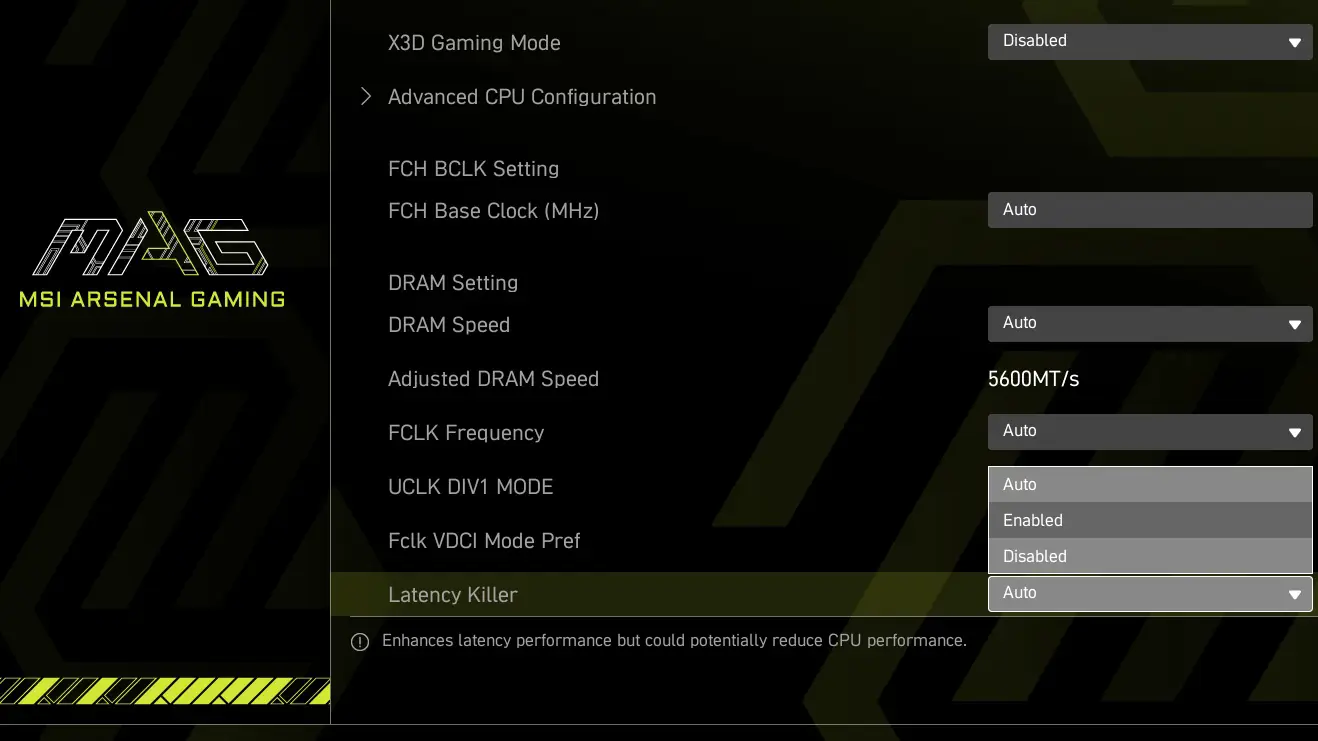

*Hỗ trợ các phiên bản BIOS sau AGESA 1.2.0.2b.
- TVS
- THIẾT KẾ GHIM CHẮC CHẮN
- CỔNG I/O THÉP KHÔNG RỈ
- Bảo vệ OCP
- CẤU TRÚC TIẾP ĐẤT
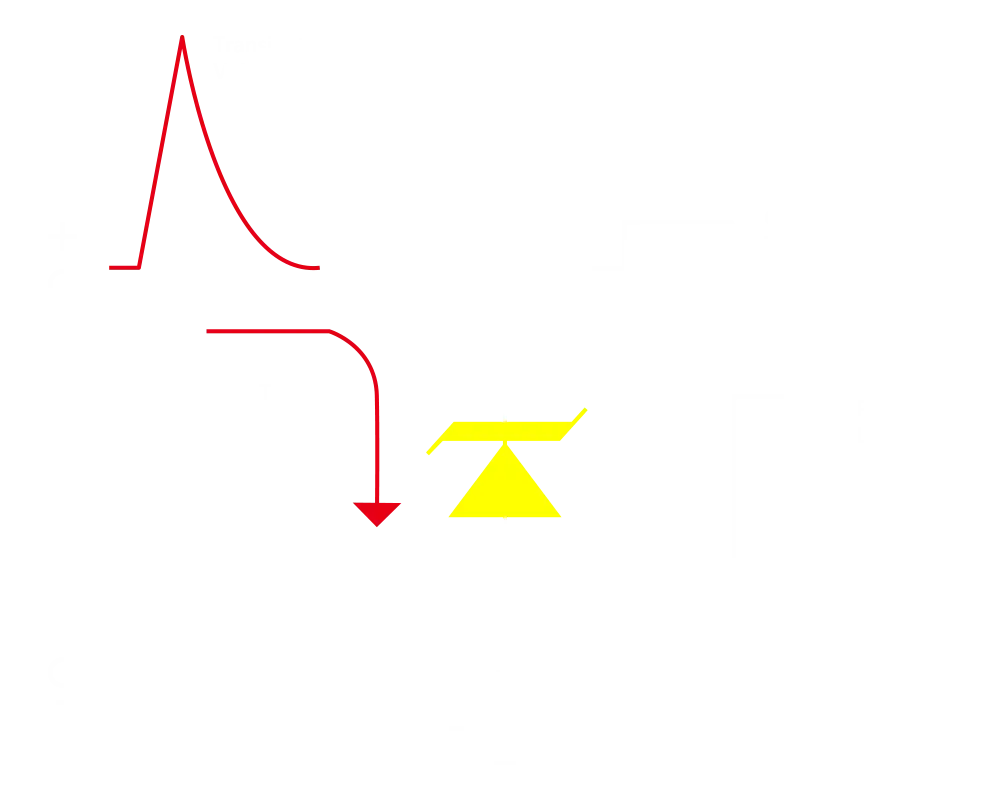
Bộ triệt xung điện áp (TVS) là thiết bị an toàn được sử dụng để bảo vệ chống lại điện áp quá cao. Tất cả các dòng bo mạch chủ của MSI đều được trang bị TVS. Khi điện áp tăng bất thường, TVS sẽ chuyển từ trạng thái điện trở cao sang trạng thái điện trở thấp, dẫn điện áp quá cao xuống đất. Điều này giúp ngăn ngừa hư hỏng mạch do điện áp cao gây ra.
Các đầu nối nguồn 4 chân, 8 chân và 24 chân của bo mạch chủ MSI đều được thiết kế với các chân cắm chắc chắn. Thiết kế chân cắm chắc chắn cho phép truyền tải điện áp 12V ổn định hơn đến CPU, ngay cả khi xử lý tải dòng điện cao.
Ưu điểm của đầu nối nguồn chân cắm chắc chắn
- Độ ổn định được cải thiện: Diện tích tiếp xúc lớn hơn giúp tăng cường độ ổn định trong quá trình truyền tải điện năng.
- Trở kháng thấp: Các chân cắm đặc mang lại trở kháng thấp, cho phép truyền tải điện năng hiệu quả.
- Độ bền cao: Thiết kế chốt chắc chắn đảm bảo độ bền cao, có khả năng chịu được các điều kiện khắc nghiệt.
- Thích hợp cho các ứng dụng dòng điện cao.

Tấm chắn IO bằng thép không gỉ chống ăn mòn
Lớp vật liệu xốp bổ sung cùng với lớp IO Shield chống ăn mòn giúp cải thiện tĩnh điện và giảm nhiễu bức xạ điện từ từ hệ thống cũng như bền hơn nhiều so với lớp IO Shield truyền thống.


* Hình ảnh trên là hình ảnh tham khảo minh họa. Vui lòng tham khảo các trang thông số kỹ thuật để biết thêm chi tiết.
Bo mạch chủ MSI ưu tiên sự an toàn với tính năng Bảo vệ quá dòng (OCP) tích hợp, đảm bảo các thành phần quan trọng như cổng USB, bộ nhớ DDR, IC PWM và CPU được bảo vệ khỏi dòng điện quá mức. Cơ chế phòng vệ chủ động này giảm thiểu nguy cơ hư hỏng hoặc trục trặc do tăng điện áp đột ngột, thúc đẩy sự ổn định lâu dài của hệ thống. Cam kết bảo vệ phần cứng của bạn này nhấn mạnh sự tận tâm của MSI trong việc sản xuất bo mạch chủ ưu tiên độ bền và tính ổn định.


Cấu trúc nối đất của các pha nguồn là thiết kế độc quyền của MSI. Thiết kế được cấp bằng sáng chế này giúp triệt tiêu nhiễu điện từ (EMI) do các pha nguồn tạo ra và giúp dẫn nhiệt hiệu quả đến mặt phẳng đồng có đặc tính nối đất.


THIẾT KẾ FROZR
- FROZR GUARD
- FROZR SYNC
- FROZR CONTROL
- Tổng quan về hệ thống làm mát

-
Tản nhiệt mở rộng
Tản nhiệt mở rộng giúp tăng diện tích bề mặt tản nhiệt và duy trì hiệu năng ở tải trọng cao.
-
Tấm chắn M.2 hai mặt Frozr
Giải pháp tản nhiệt M.2 được tăng cường giúp bảo vệ SSD M.2 và đảm bảo hiệu năng vượt trội.
-
Tản nhiệt VRM mạ dày
Tản nhiệt VRM bao phủ MOS phía trên và giúp tản nhiệt.
-
Tấm tản nhiệt 7W/mK và tấm cuộn cảm bổ sung
Các miếng tản nhiệt MOSFET 7W/mK chất lượng cao và các miếng tản nhiệt cuộn cảm bổ sung đảm bảo hiệu suất ổn định khi tất cả các lõi hoạt động ở tốc độ cao.
-
Tản nhiệt chipset kích thước lớn
Bộ tản nhiệt được mở rộng nhằm giảm bụi và tiếng ồn, đồng thời vẫn duy trì hiệu quả tản nhiệt cao.
- HỆ THỐNG LÀM MÁT
- BỘ QUẠT
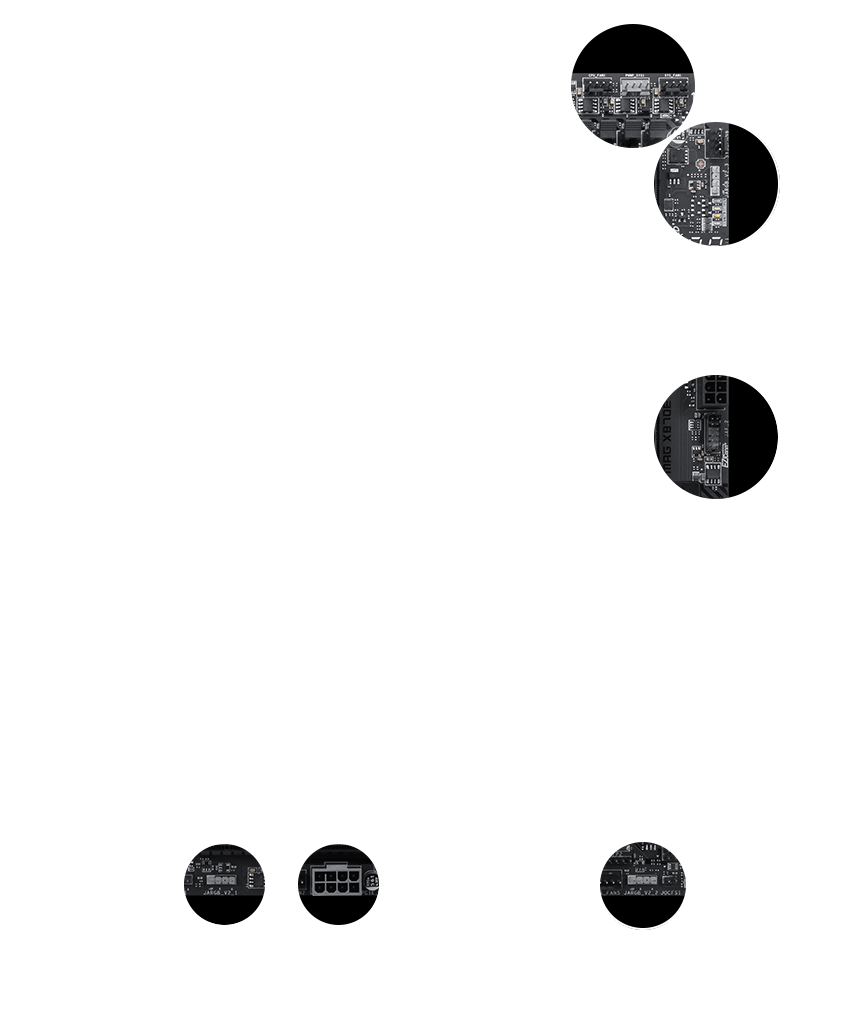
Kết nối và đồng bộ hóa với bộ tản nhiệt và vỏ máy MSI thông qua các vị trí chân cắm được bố trí chiến lược, bao gồm cả chân cắm quạt bơm chuyên dụng.

DÀNH CHO BỘ LÀM MÁT CPU

DÀNH CHO BỘ LÀM MÁT BẰNG CHẤT LỎNG
Cung cấp nguồn 3A / Hỗ trợ tự động phát hiện

DÀNH CHO QUẠT HỆ THỐNG
Hỗ trợ tự động phát hiện

KẾT NỐI DỄ DÀNG ĐỘC QUYỀN - JAF_2
Công suất 3A (quạt) / Hỗ trợ các linh kiện PC chuyên dụng của MSI.
Tìm hiểu thêm
Đầu cắm bộ quạt
Đầu cắm Bộ quạt tổng hợp MSI là một chi tiết đa năng, là đầu cắm máy bơm và hoặc quạt. Đầu cắm sẽ tự động phát hiện xem đó là máy bơm hay quạt PWM/DC, với màu xám đặc trưng đảm bảo dễ dàng nhận dạng


- COOLING WIZARD
- FROZR AI COOLING
- TỰ ĐỘNG PHÁT HIỆN QUẠT
Cooling Wizard là giải pháp toàn diện để quản lý cài đặt quạt trên tất cả các sản phẩm của MSI. Nó đảm bảo hiệu suất làm mát vượt trội và giảm tiếng ồn cho PC chơi game của bạn, tương thích với quạt và bơm PWM/DC, cung cấp các tùy chọn tùy chỉnh và giám sát nhiệt độ trực quan để hoạt động tối ưu chỉ với một cú nhấp chuột.

Nhiều lựa chọn thiết lập
Tối đa 5 hồ sơ cho nhiều lựa chọn


Quạt thông minh & Quạt điều chỉnh bằng tay
-
Smart Fan
Cho phép người dùng thay đổi đường cong nhiệt độ bằng 4 dấu chấm được cung cấp.
-
Manual Fan
Cho phép người dùng tự điều chỉnh nhiệt độ theo tỷ lệ phần trăm đã đặt.


Thiết lập người dùng
-
Theo dõi Chế độ MSI Center
Điều chỉnh cài đặt quạt theo chế độ đã chọn trong Kịch bản người dùng
-
BIOS Mode
Điều chỉnh cài đặt quạt trong BIOS
-
Tùy chỉnh theo người dùng
Người dùng có thể tùy chỉnh cài đặt quạt.


Công nghệ làm mát Frozr AI Cooling tập trung vào nhiệt độ CPU và GPU. Hệ thống AI phát hiện nhiệt độ CPU và GPU, sau đó tự động điều chỉnh tốc độ quay của quạt hệ thống để đảm bảo hiệu suất tối ưu.
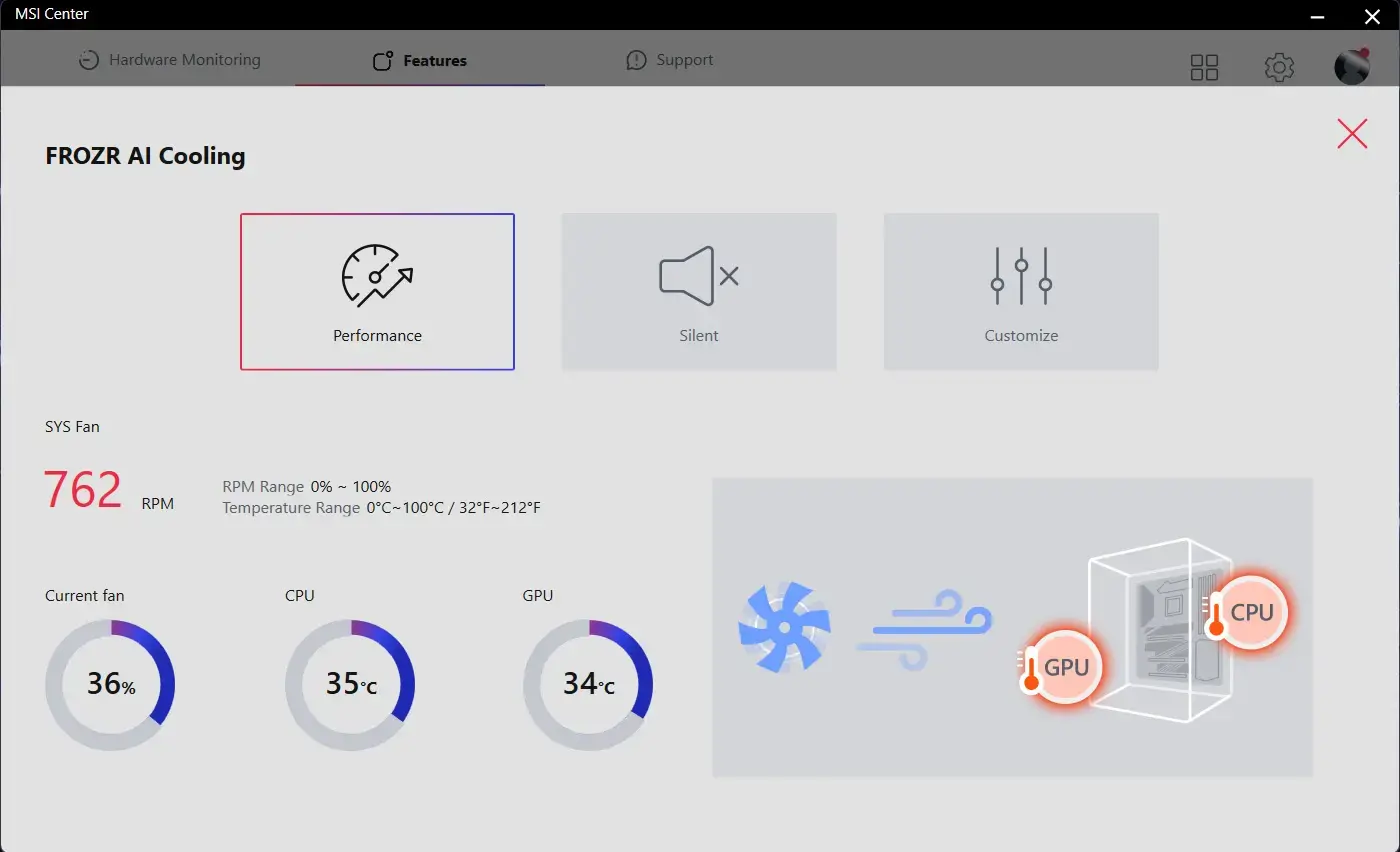
Các đầu cắm quạt của MSI tự động phát hiện quạt đang hoạt động ở chế độ DC hoặc PWM để điều chỉnh tốc độ quạt tối ưu và giảm tiếng ồn. Chức năng trễ cũng giúp quạt quay mượt mà, đảm bảo hệ thống hoạt động yên tĩnh trong mọi điều kiện.

TRILINK
- Mạng
- Lưu trữ
- Mở rộng
- KẾT NỐI HOÀN HẢO
- Giải pháp WIFI 7
- AI Lan Manager
Giải pháp mạng cao cấp của MSI cung cấp tốc độ truyền dữ liệu đáng kinh ngạc cho người dùng có nhu cầu cao.


5G LAN

Wi-Fi 7

Ăng-ten EZ kèm đế từ tính
GIẢI PHÁP WI-FI THẾ HỆ TIẾP THEO – WI-FI 7
Wi-Fi 7 là giải pháp không dây mới nhất đạt được bước nhảy vọt với nhiều cải thiện đáp ứng nhu cầu lưu lượng của số lượng các thiết bị không dây ngày một gia tăng.
*Chỉ tương thích với Windows 11
Wi-Fi 7 (802.11be) được giới thiệu với tốc độ cao hơn, kênh rộng hơn, cải thiện hiệu suất và giảm độ trễ so với Wi-Fi 6 (802.11ax). Chuẩn này cũng cải thiện thời lượng pin và đem đến hiệu năng tốt hơn trong môi trường đông đúc.
Chuẩn Wi-Fi 7 đem đến tốc độ tối đa ấn tượng lên đến 5.8 Gbps! Gấp 2.4 lần so với chuẩn Wi-Fi 6/6E trước đó, Wi-Fi 7 được thiết lập để trở thành chuẩn không dây của tương lai.
Các thế hệ Wi-Fi trước đây phải làm việc ở kênh có độ rộng 160MHz. Wi-Fi 7 nâng mức độ rộng lên đến 320MHz (ở dải tần 6GHz) – đảm bảo độ tin cậy cao hơn khi truyền dẫn đồng thời ở tốc độ tối đa.
Mức giá trị QAM(Quadrature Amplitude Modulation) càng cao, càng có nhiều gói dữ liệu có thể được vận chuyển. Wi-Fi 7 cải thiện lịch trình điều chế từ mức 1024-QAM sang mức 4096-QAM – gia tăng tốc độ truyền tải tối đa và dung lượng mạng.
Wi-Fi 7 cho phép thiết bị đồng thời gửi và nhận dữ liệu trên vài băng tần và kênh khác nhau để đáp ứng nhu cầu lưu lượng gia tăng do sự phát triển của các thiết bị không dây.
MSI AI LAN Manager tự động phân loại và ưu tiên các ứng dụng nhạy cảm với độ trễ cho các trò chơi trực tuyến, mang đến cho bạn trải nghiệm chơi game trực tuyến tốt nhất với độ trễ thấp.
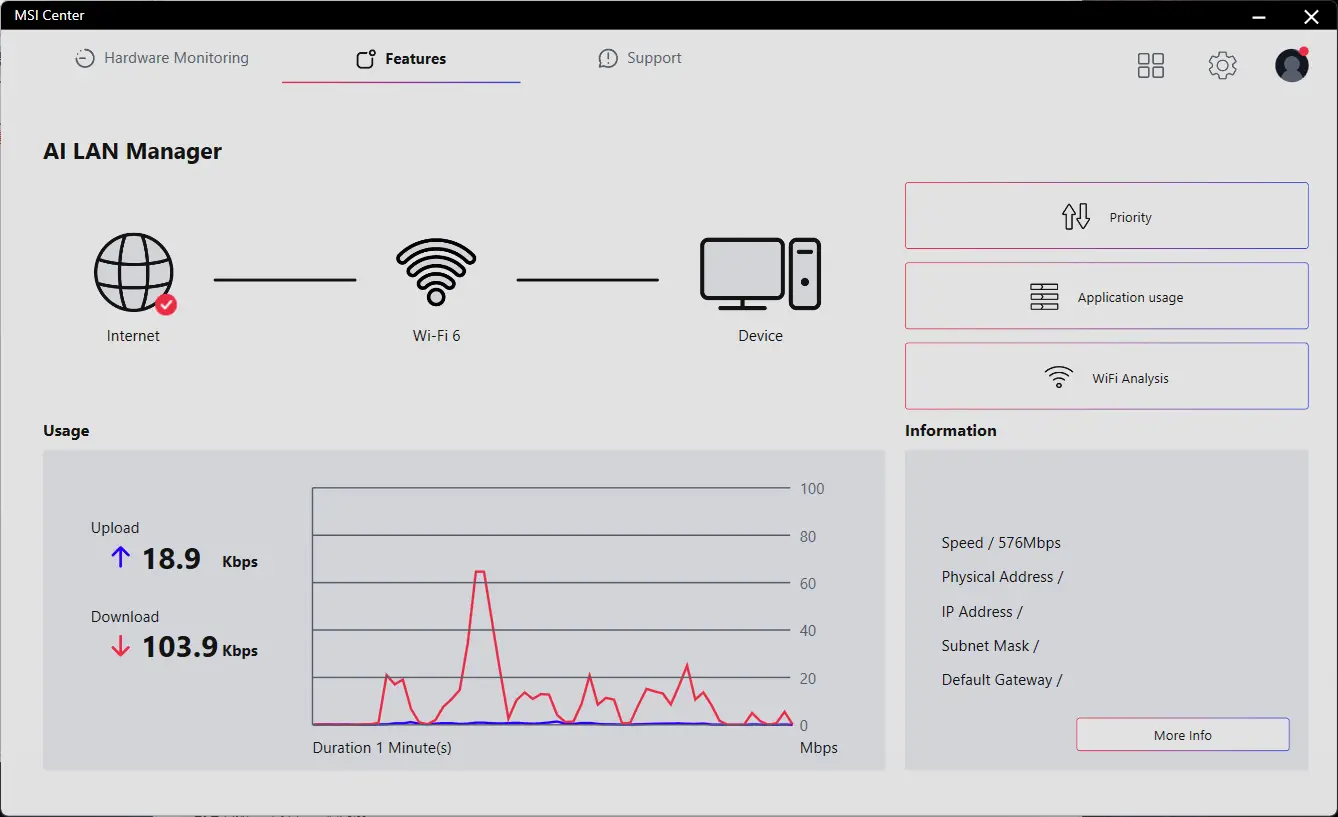
MSI AI LAN MANAGER
- Tự động ưu tiên trò chơi hơn các ứng dụng khác.
- Cho phép thay đổi mức độ ưu tiên lưu lượng truy cập của ứng dụng.
- Cho phép tùy chỉnh băng thông cho từng ứng dụng.
- Phân tích tín hiệu Wi-Fi để chọn nguồn tốt nhất.
- Lưu trữ
Bo mạch chủ dòng MSI MAG hỗ trợ tất cả các chuẩn lưu trữ mới nhất, cho phép người dùng kết nối bất kỳ thiết bị lưu trữ siêu tốc nào. Khởi động trò chơi nhanh hơn, tải màn chơi nhanh hơn và có lợi thế thực sự trước đối thủ.
2x

2x


- 64MB BIOS
- LANES OPTIMIZED
- LIGHTNING GEN 5 PCI-E
- PCIe SUPPLEMENTAL POWER
- USB4
- SUPER CHARGER +
64MB BIOS
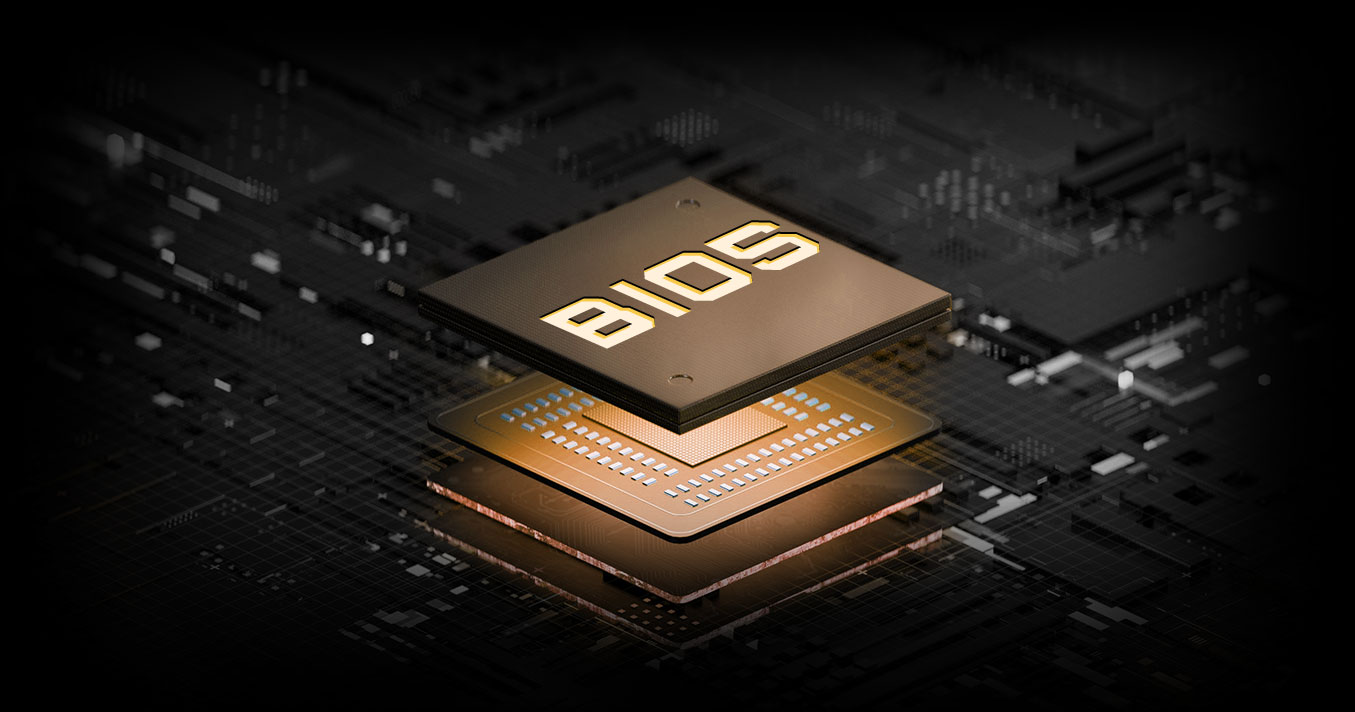
Dung lượng ROM BIOS lớn hơn cho phép người dùng tận hưởng giao diện BIOS đầy đủ và phong phú nhất khi sử dụng CPU của họ. Ngay cả khi nâng cấp lên các CPU AM5 mới nhất trong tương lai, khả năng tương thích hoàn toàn vẫn được đảm bảo.
Bo mạch chủ MSI tận dụng tối đa các làn PCIe 5.0 gốc của CPU với khả năng phân chia làn được tối ưu hóa, cho phép khe cắm Gen 5 x16 và hai đầu nối M.2 Gen 5 hoạt động độc lập, loại bỏ xung đột băng thông và mở khóa hiệu năng tối đa cho cả GPU và SSD.
Giao diện PCIe Gen5 trực tiếp từ CPU
Băng thông đầy đủ không bị chia tách
Tối ưu hóa việc phân nhánh làn PCIe

Up to 24 Hỗ trợ PCIe 5.0 gốc từ CPU Ryzen 9000 & 7000
PCIe 5.0 x4 cho M.2 SSD
PCIe 5.0 x16 cho GPU
PCIe 5.0 x4 cho M.2 SSD


LIGHTNING GEN 5 PCI-E
Với băng thông gấp đôi so với thế hệ trước, giao diện x16 có thể đạt tới 128GB/giây.

Khe cắm SMT PCIE 5.0
Khe cắm PCIE công nghệ SMT (Surface Mount Technology) tiên tiến giúp giảm thiểu nhiễu và tiếng ồn điện, hỗ trợ đầy đủ tín hiệu PCI-E 5.0.
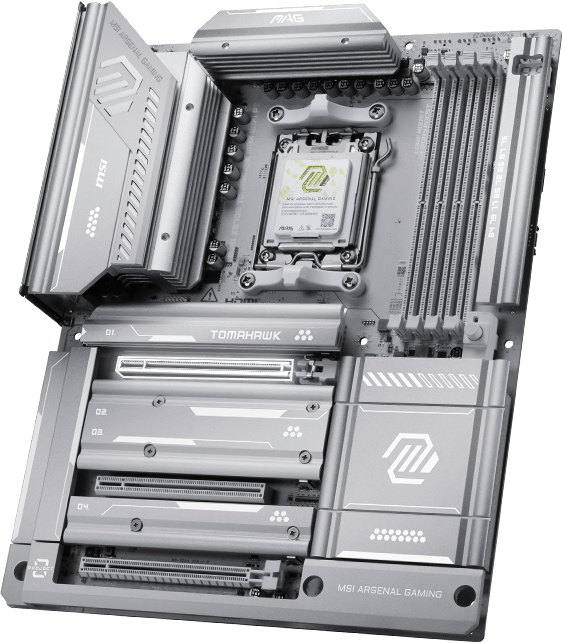

1.2X KHẢ NĂNG CHỊU ĐƯỢC TRỌNG LƯỢNG
Steel Armor II
So với thế hệ trước, khả năng chịu tải của Steel Armor II đã tăng 21%, đảm bảo chất lượng truyền tín hiệu tuyệt vời.
Đầu nối nguồn PCIe bổ sung độc quyền cung cấp nguồn điện chuyên dụng cho nhu cầu điện năng cao của GPU được sử dụng trong điện toán AI và chơi game, đảm bảo hiệu suất ổn định, hiệu quả và bền vững.Tìm hiểu thêm về khả năng tương thích với khung máy.


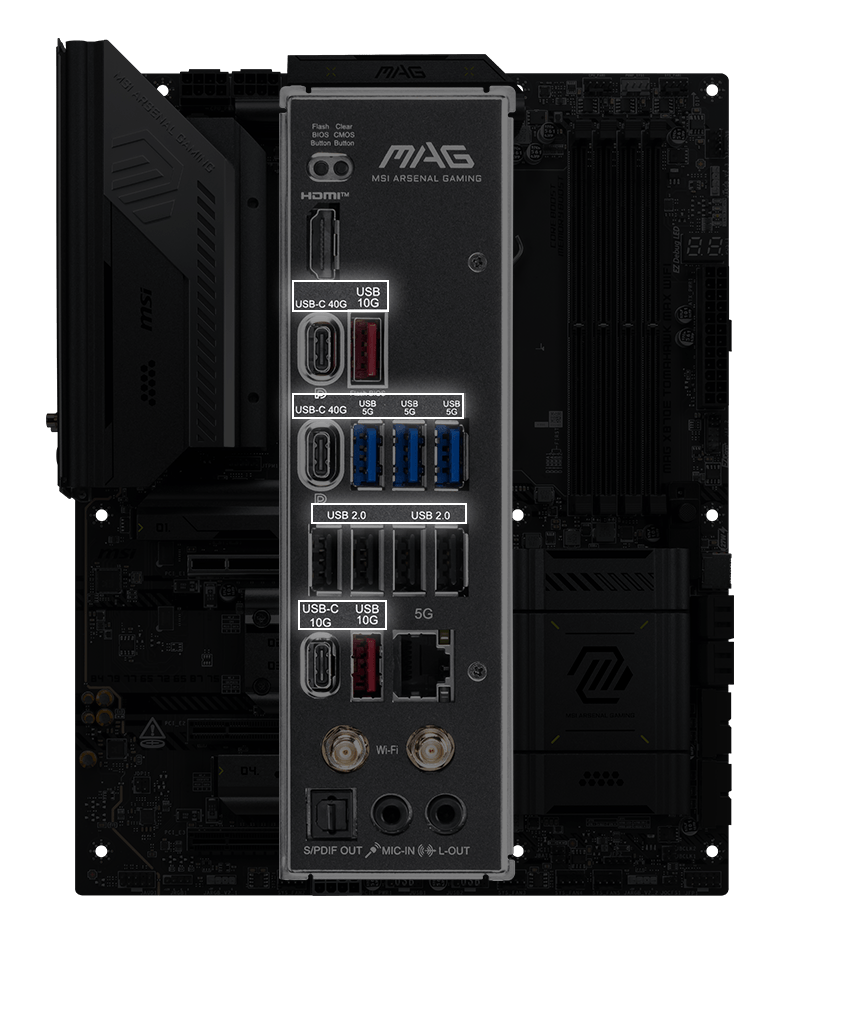
Bo mạch chủ MSI tích hợp công nghệ USB4 mới nhất, mang đến cho người dùng đầy đủ các lợi ích.

Tốc độ truyền tải lên đến 40Gbps
Chuyển các tập tin lớn nhanh hơn trước

Kết nối nhiều thiết bị
Cho phép kết nối nhiều thiết bị thông qua một cổng duy nhất

Chia sẻ băng thông động
Cho phép truyền dữ liệu, hình ảnh, video, v.v. đồng thời
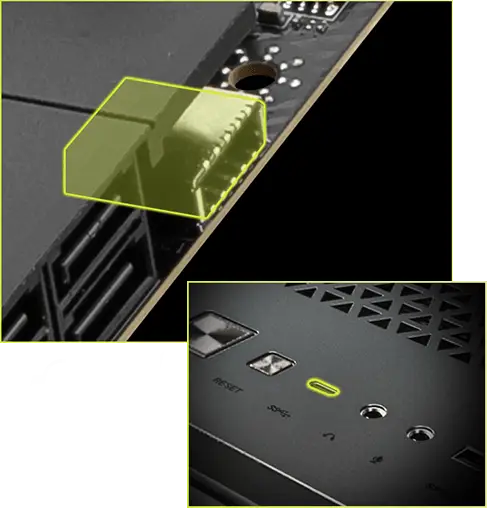
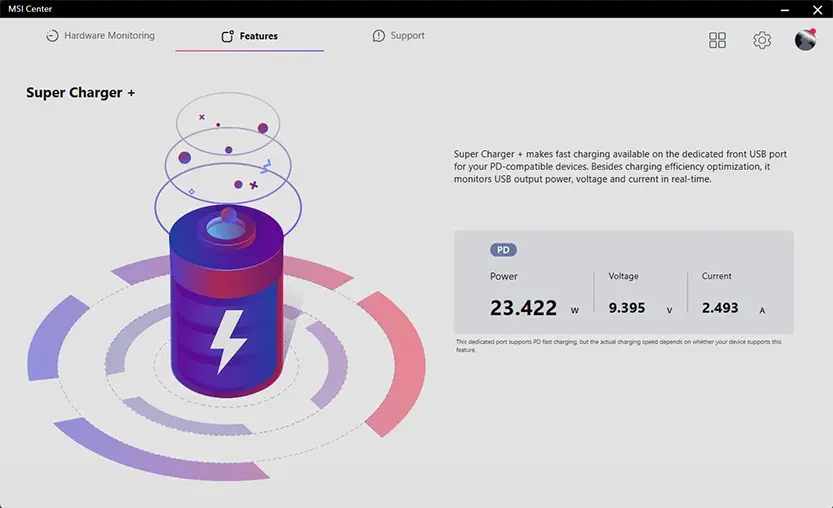
Super Charger + đem đến khả năng sạc nhanh (PD 27W) trên cổng USB phía trước chuyên dụng cho các thiết bị tương thích chuẩn PD của bạn. Ngoài khả năng sạc tối ưu, tính năng này còn theo dõi công suất đầu ra trên cổng USB, điện áp và dòng điện theo thời gian thực.
Trải Nghiệm Đỉnh Cao
- audio
- mystic light
- BIOS
- Phần mềm
- Audio Boost 5
- CẤU TRÚC TƯƠNG TỰ CÔ LẬP
- HIGH PERFORMANCE ALC4080 AUDIO PROCESSOR
- HIGH QUALITY AUDIO CAPACITORS
- HIGH QUALITY AUDIO JACKS WITH S/PDIF
- DEDICATED HEADPHONE AMPLIFIER
- ISOLATED AUDIO SIGNAL
- DE-POP PROTECTION




Cấu trúc tương tự biệt lập cho đầu nối âm thanh
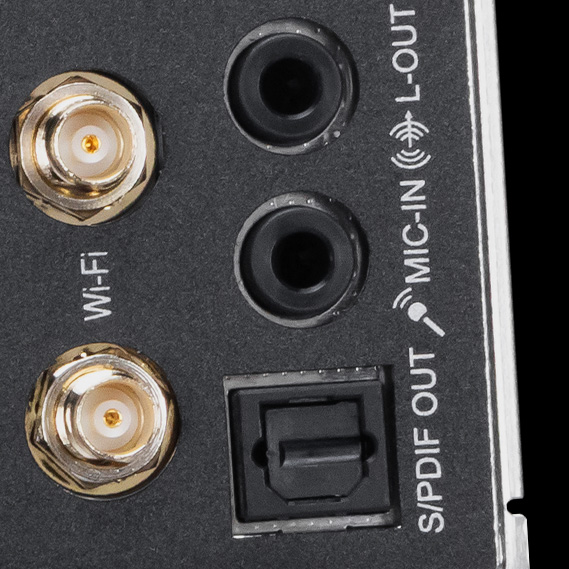
Để có thể truyền tải âm thanh rõ ràng, MSI phát triển một cấu trúc độc đáo – Cấu trúc tương tự biệt lập. Khung kim loại bên ngoài của các jack âm thanh được tách biệt với bố cục bên trong, đảm bảo chất lượng âm thanh rõ nét.


* Hình ảnh trên là hình ảnh tham khảo minh họa. Vui lòng tham khảo trang thông số kỹ thuật để biết thêm chi tiết.
- Mystic Light
- ĐỒNG BỘ LED MYSTIC LIGHT
LÀM CHO PC CỦA BẠN BỪNG SÁNG
Trộn thêm một số hiệu ứng ánh sáng RGB rực rỡ và đầy màu sắc bằng tiện ích Mystic Light của MSI Center, với hàng triệu màu sắc và hiệu ứng đèn LED lạ mắt. Tận hưởng khả năng kiểm soát và sáng tạo toàn diện cho hệ thống đèn trên của PC chỉ bằng một phần mềm duy nhất.
-
Wave
-
Steady
-
Flame
-
Breathing
-
CPU Temperature
-
Color Ring
-
Lightning
-
Receration
-
Meteor
-
Default
MỞ RỘNG TRẢI NGHIỆM LED RGB DỄ DÀNG
Thêm màu của bạn nếu bạn muốn! Chân cắm LED Mystic Light cung cấp một cách trực quan để kiểm soát các dải LED RGB bổ sung và các thiết bị ngoại vi RGB khác được thêm vào hệ thống mà không cần bộ điều khiển RGB riêng.
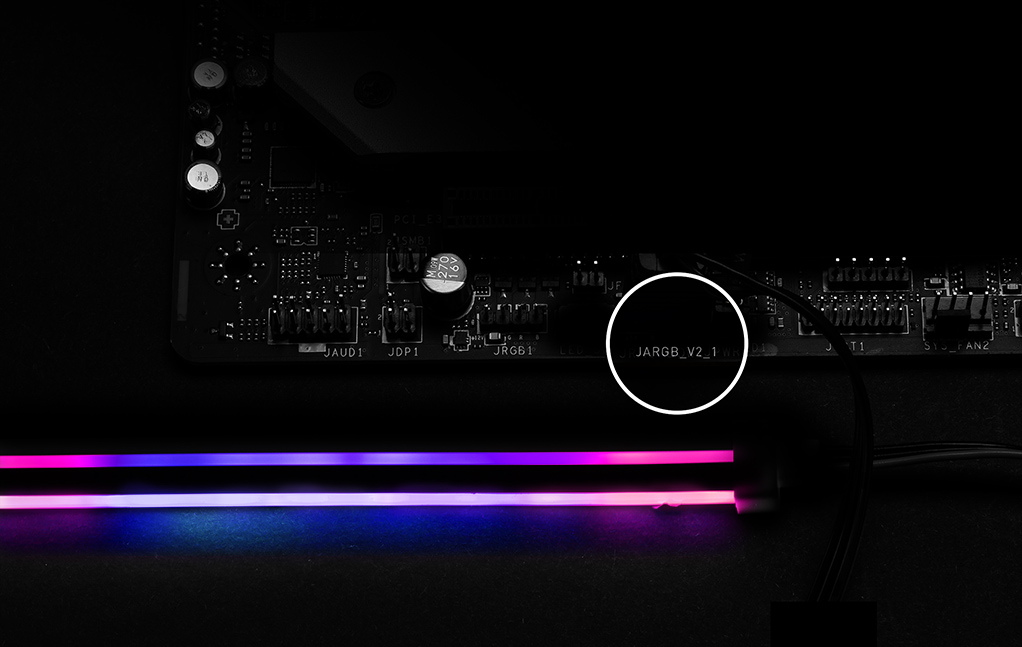
*Thiết bị Gen2 chỉ hỗ trợ 7 chủ đề RGB


- Click BIOS X
- TÍNH NĂNG CHỦ YẾU CỦA BIOS
Giao diện CLICK BIOS X được thiết kế mới của MSI mang đến trải nghiệm thân thiện và dễ sử dụng. Thiết kế mới đảm bảo người dùng ở mọi trình độ kinh nghiệm đều có thể nhanh chóng truy cập và điều chỉnh cấu hình hệ thống một cách dễ dàng.


- MSI CENTER
- AIDA64
- NORTON 360
MSI CENTER
MSI Center hoàn toàn mới của MSI hợp nhất bộ phần mềm tiện ích của MSI vào một ứng dụng tập trung duy nhất. Nắm quyền kiểm soát các tính năng tiên tiến của bo mạch chủ và khai phá vô số khả năng.


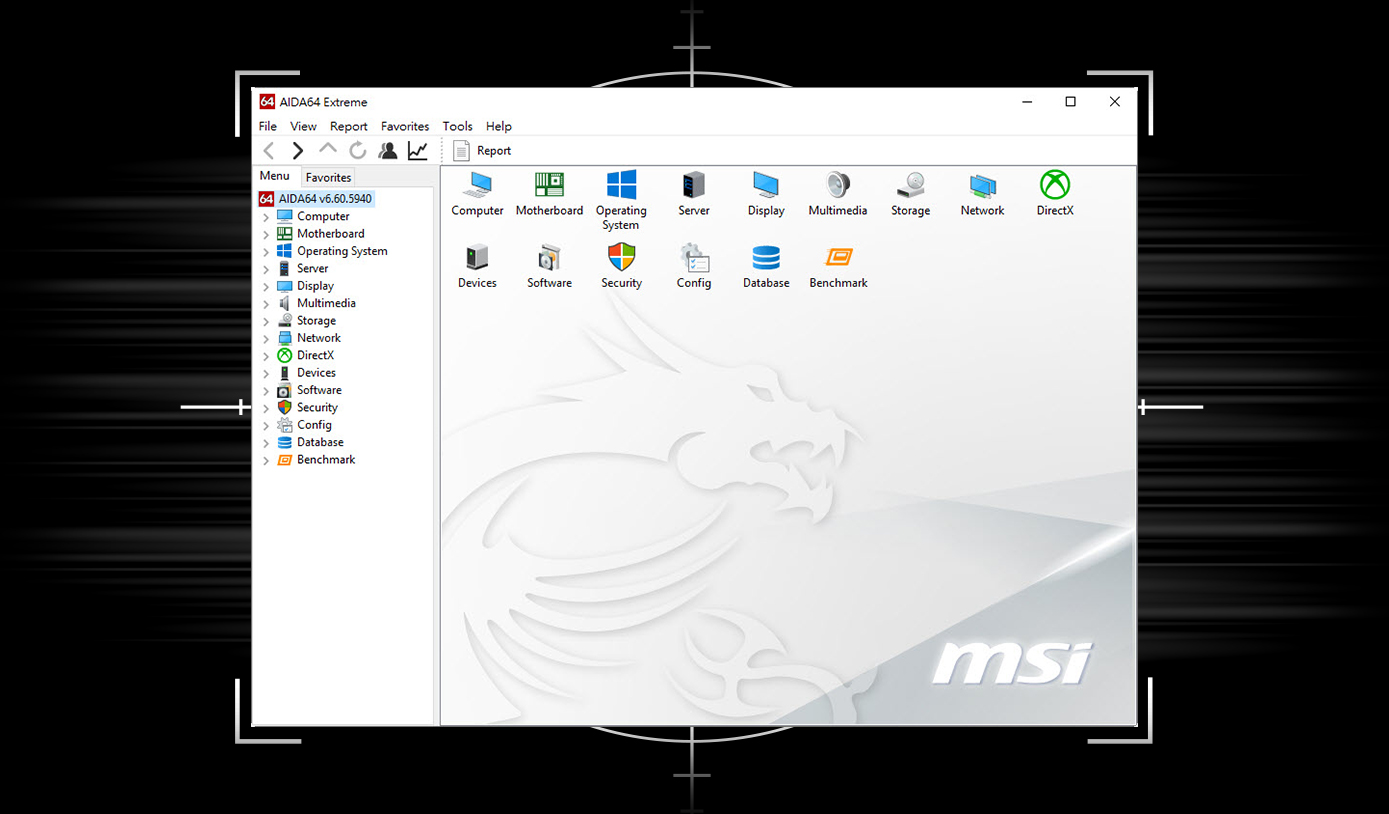
Giao diện người dùng độc quyền của AIDA64 Extreme
Bo mạch chủ của MSI kèm theo bản dùng thử 60 ngày của AIDA64 Extreme - MSI edition. AIDA64 Extreme là ứng dụng toàn năng để lấy thông tin hệ thống, chẩn đoán và chấm điểm. Với ứng dụng này, bạn có thể theo dõi chi tiết phần cứng và thông tin phần mềm trên PC và lưu nó thành tập tin ở nhiều định dạng khác nhau như CSV và HTML.
Chọn tham gia An toàn không gian mạng với Norton 360 Deluxe
Bảo vệ nhiều lớp cho thiết bị của bạn, tính năng mạng riêng tư bao gồm Secure VPN, cùng với Dark Web Monitoring - tất cả trong một giải pháp. Với bo mạch chủ của MSI, bạn có thể tận hưởng 60-day thử nghiệm miễn phí Norton 360 Deluxe.
- Lưu trữ trên mây lên đến 50 GB
- Bảo vệ nguy cơ theo thời gian thực và Smart Firewall
- Quản lý mật khẩu
- PC SafeCam

Thử nghiệm mà MSI cung cấp không tương thích với người dùng sẵn có của Norton. Nếu bạn đã đăng ký chương trình bảo vệ của Norton, bạn cần phải thoát khỏi chương trình bảo vệ này để đủ điều kiện nhận bản thử nghiệm. Đối với các vấn đề như Important Subscription, Giá bán và Chi tiết khuyến mãi, hãy tham khảo thêm phần NortonLifeLock License và Thỏa thuận dịch vụ. NortonLifeLock Product và Ghi chú dịch vụ riêng tư.

CHẾ TẠO DÀNH CHO MÁY TÍNH CAO CẤP NHẤT ĐỂ CHƠI GAME VÀ SÁNG TẠO
Khi đề cập đến những cỗ máy nhanh nhất trên thị trường, thì chỉ bo mạch chủ AMD X800-series sẽ đáp ứng được. Với USB 4.0 tích hợp cùng khả năng ép xung mạnh mẽ1, có hỗ trợ bộ nhớ DDR5 kênh đôi nhanh hơn, công nghệ AMD EXPO™ và hỗ trợ PCIe® 5.0 cho cả đồ họa và NVMe, bạn có thể chơi những trò chơi đòi hỏi khắt khe nhất và thực hiện những dự án lớn nhất của mình với hiệu suất đột phá của bo mạch chủ AMD X800-series với bộ xử lý AMD Ryzen™ 9000, 8000 và 7000 Series.
- Ép xung và/hoặc hạ điện áp bộ xử lý và bộ nhớ AMD, bao gồm nhưng không giới hạn ở việc thay đổi tần số xung nhịp/bộ nhân hoặc thời gian/điện áp bộ nhớ, để hoạt động ngoài các thông số kỹ thuật đã công bố của AMD sẽ làm mất hiệu lực bất kỳ bảo hành sản phẩm AMD nào được áp dụng, ngay cả khi được bật thông qua phần cứng và/hoặc phần mềm AMD. Điều này cũng có thể làm mất hiệu lực các bảo hành do nhà sản xuất hoặc nhà bán lẻ hệ thống cung cấp. Người dùng chịu mọi rủi ro và nghĩa vụ có thể phát sinh do ép xung và/hoặc hạ điện áp bộ xử lý AMD, bao gồm nhưng không giới hạn ở việc hỏng hóc hoặc hư hỏng phần cứng, giảm hiệu suất hệ thống và/hoặc mất dữ liệu, hỏng hóc hoặc lỗ hổng. GD-106.
© 2024 Advanced Micro Devices, Inc. All rights reserved. AMD, the AMD Arrow logo, Radeon, Ryzen and combinations thereof are trademarks of Advanced Micro Devices, Inc. Other product names used in this publication are for identification purposes only and may be trademarks of their respective owners.
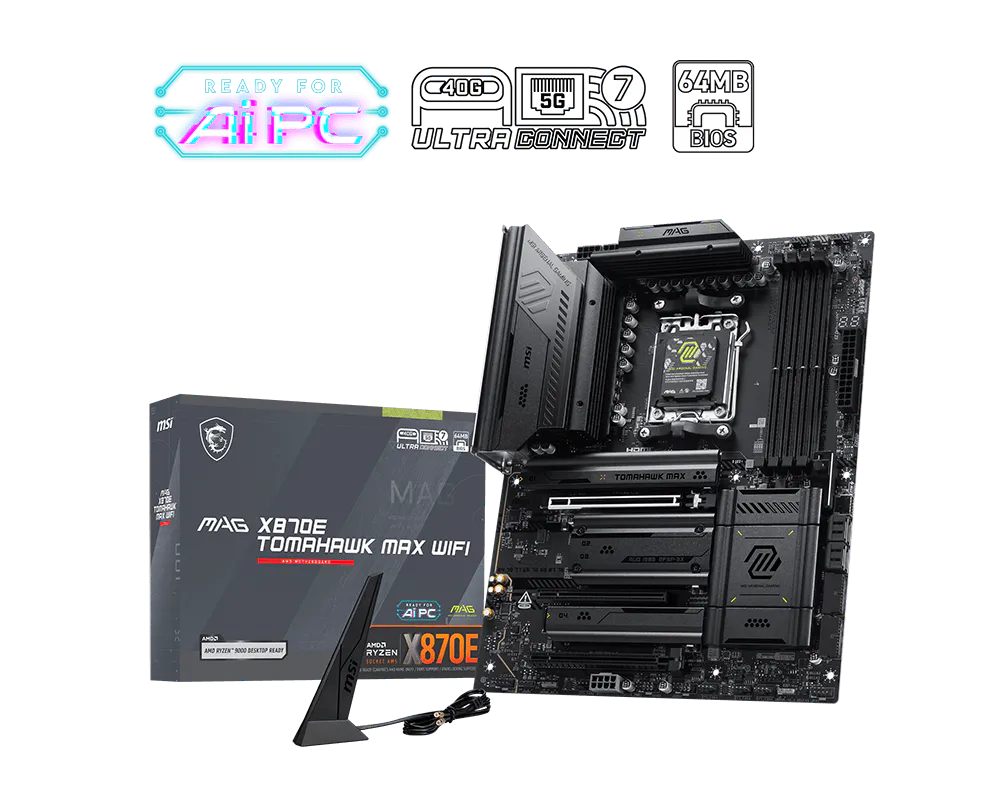
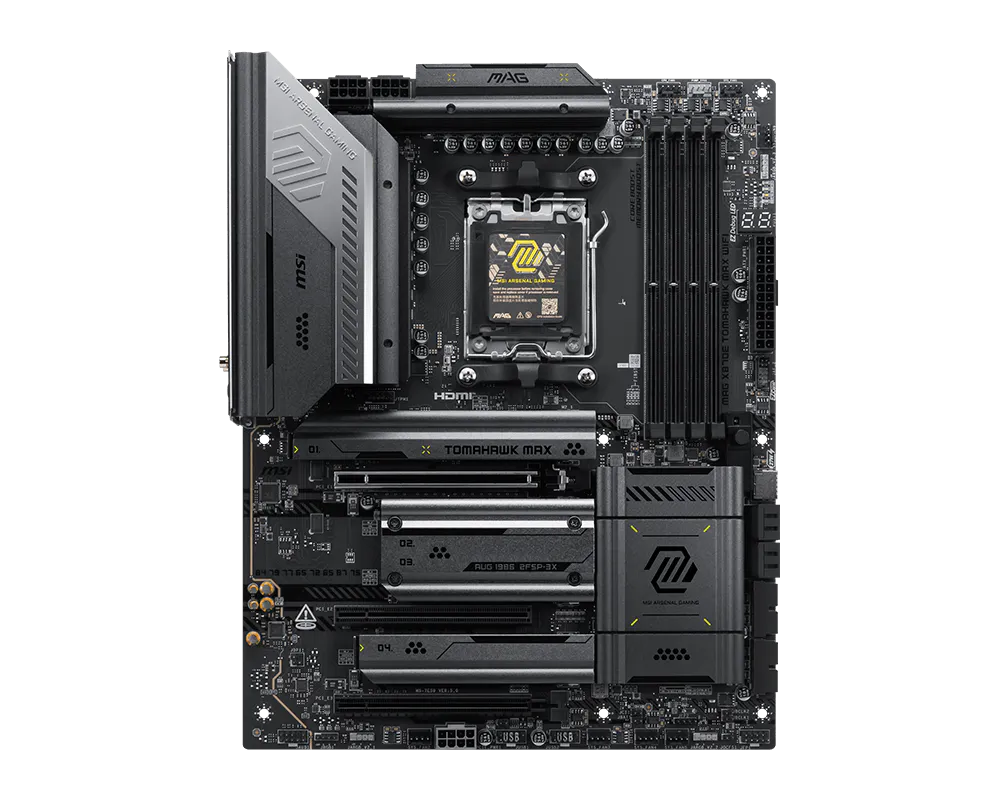
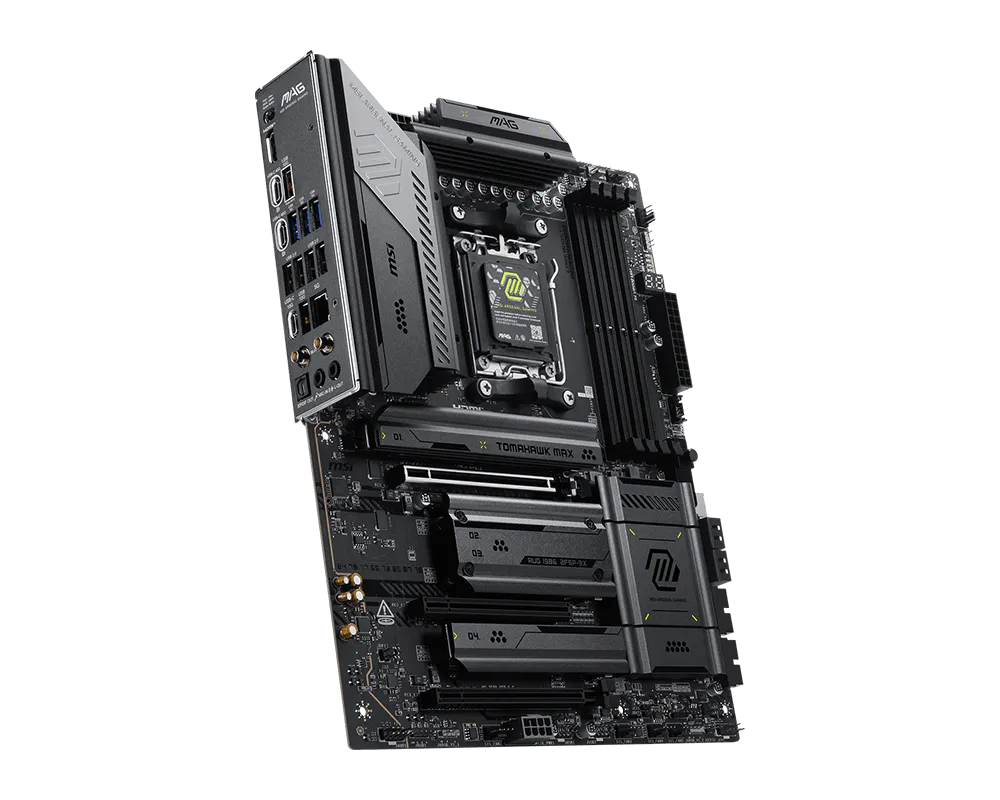
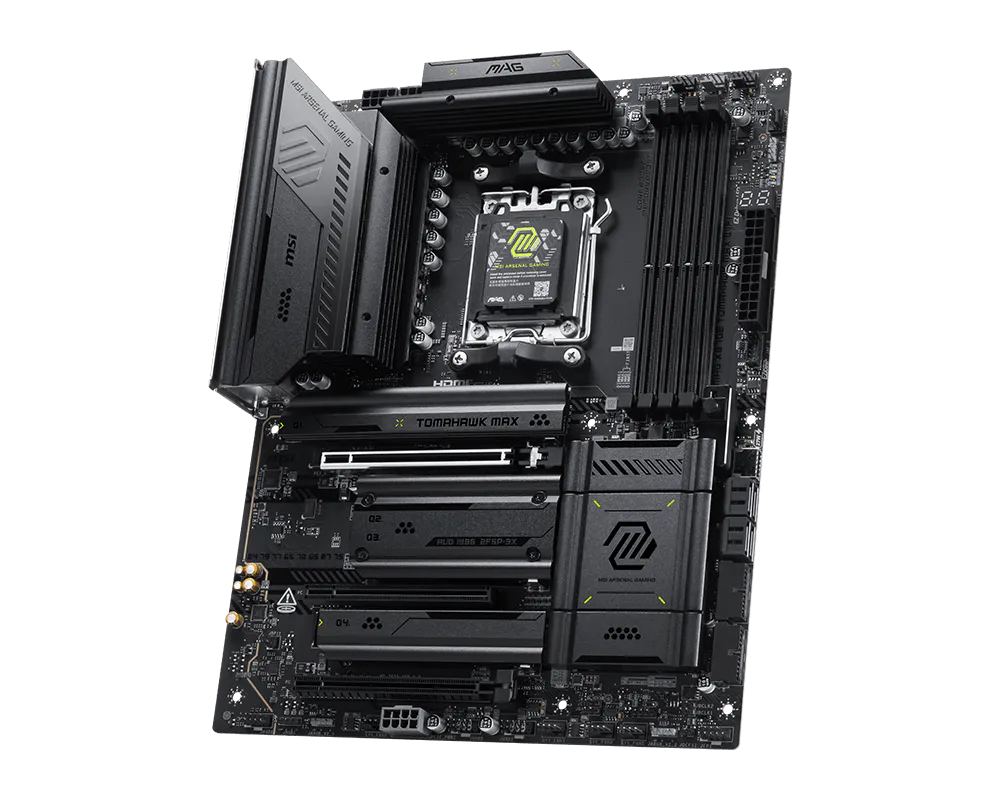
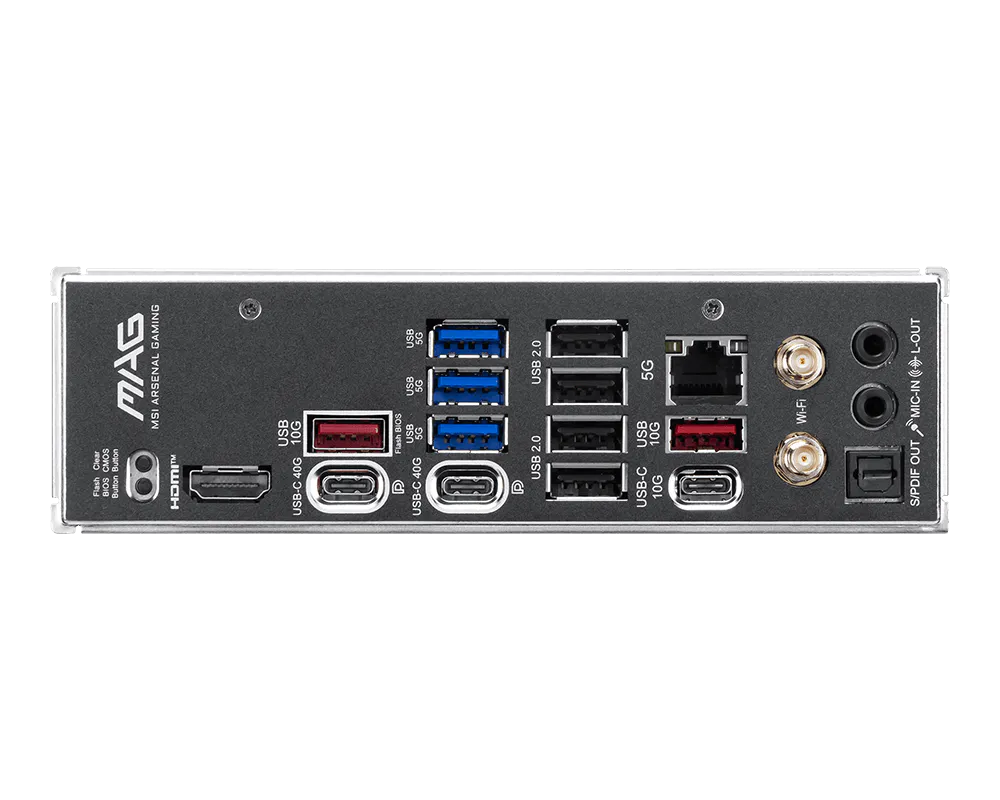
MAG X870E TOMAHAWK MAX WIFI
- Hỗ trợ bộ xử lý máy tính để bàn AMD Ryzen™ dòng 9000 / 8000 / 7000
- Hỗ trợ bộ nhớ DDR5, kênh đôi DDR5 8400+ MT/s (OC)
- Hiệu năng cực cao: Hệ thống nguồn Duet Rail 14+2+1 80A SPS, hai đầu nối nguồn CPU 8 chân, Core Boost, Memory Boost, PCB 8 lớp được làm bằng đồng dày 2oz và vật liệu cấp máy chủ
- Frozr Guard: Tản nhiệt mở rộng, miếng đệm nhiệt MOSFET định mức 7W/mK, miếng đệm nhiệt cuộn cảm bổ sung và EZ M.2 Shield Frozr II được thiết kế cho hệ thống hiệu năng cao và trải nghiệm không ngừng nghỉ
- EZ DIY: EZ M.2 Shield Frozr II, EZ M.2 Clip II, EZ PCIe Release và EZ Antenna
- Chơi game nhanh như chớp Trải nghiệm: Khe cắm PCIe 5.0, Lightning Gen 5 x4 M.2
- Kết nối siêu tốc: USB4 và mạng LAN 5G với giải pháp Wi-Fi 7 - giải pháp mới nhất dành cho mục đích chuyên nghiệp và đa phương tiện, mang đến khả năng kết nối mạng và truyền dữ liệu an toàn, ổn định và tốc độ cao
- Audio Boost 5: Mang đến cho bạn chất lượng âm thanh chuẩn phòng thu để có trải nghiệm chơi game sống động nhất